
Higgsfield AI Review: Image, Video, Voice & Cinema Studio
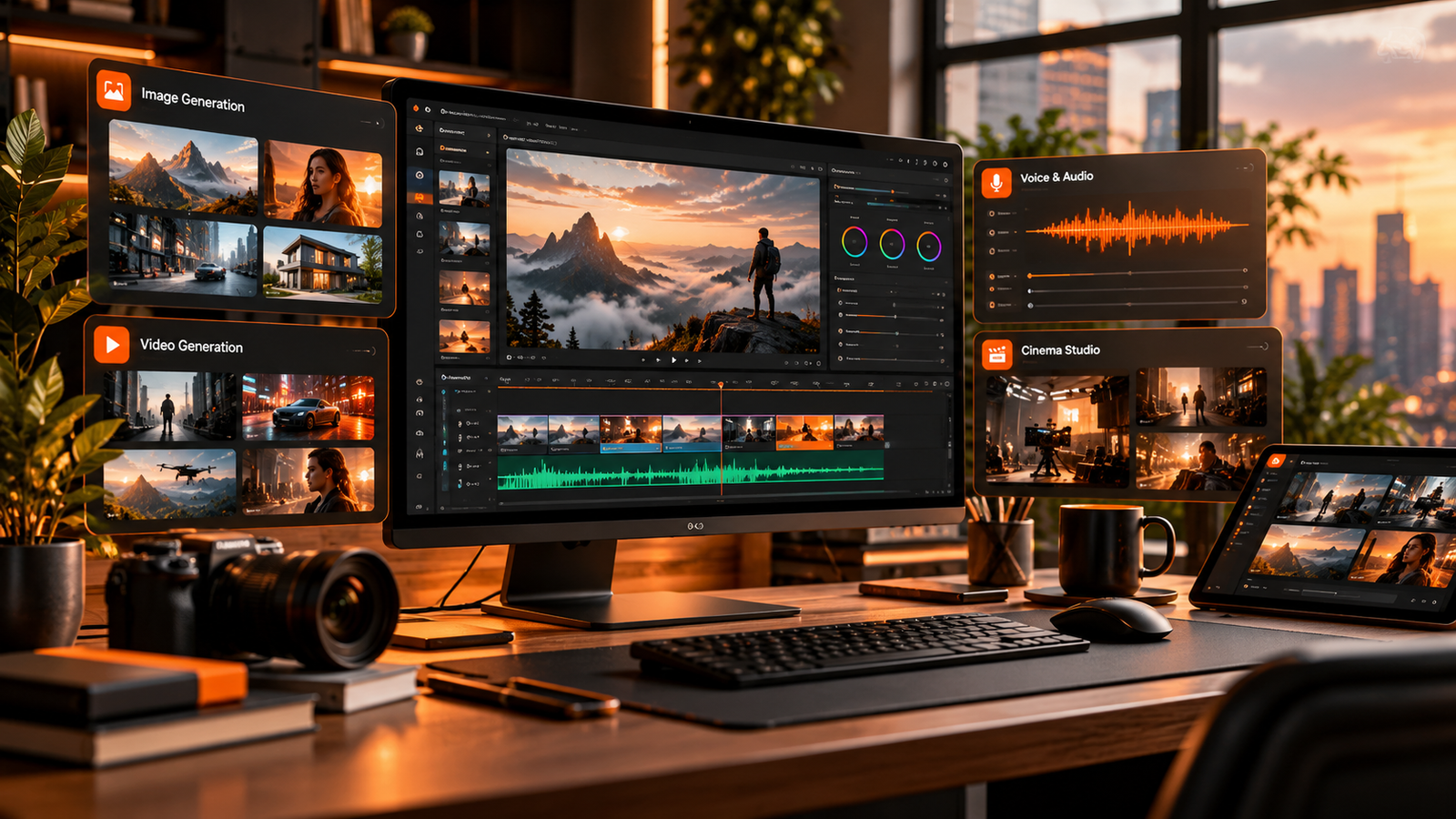
AI content creation tools are bringing image generation, video production, voiceovers, and localization into increasingly connected workflows. Higgsfield AI is one platform designed to bring many of these creative tasks together.
In this hands-on review, we look at its image generation, reusable character and product references, cinematic video tools, voice generation, video dubbing, and Claude integration. We also cover the limitations that matter before paying for a subscription.
Quick verdict: Higgsfield is most interesting for creators who regularly make more than one type of content. If you only need a single capability, a dedicated tool may be a better fit.
What Is Higgsfield AI?
Higgsfield AI is a creative platform that combines tools for generating images and videos with audio features and workflows for reusing visual references. Instead of working in separate apps for every task, creators can use one platform for several stages of production.
The tested workflow included:
- AI image generation and product photography
- Reusable character, product, and location references
- Cinematic video creation with camera and lighting controls
- Text-to-speech and voice conversion
- Video translation and dubbing
- A connector workflow for using compatible tools through Claude
The value depends on how much of this toolkit you actually use, the quality of the results, and the amount of prompt preparation and review your projects require.
AI Image Generation for Detailed Visuals
The image workflow lets you select a model and configure settings such as aspect ratio and output quality. In the supplied test, different prompts were used to create a cinematic volcanic coastline, an extreme macro photograph of a mechanical watch, and a multi-view product reference sheet.
Creating cinematic AI images
The coastline prompt specified cold gray-blue mist in the shadows and warm amber sunlight. The generated image followed the intended atmosphere and lighting direction. This is a useful reminder that a prompt should describe more than the subject: composition, light, palette, texture, and mood all influence the result.
Generating product photography
The watch prompt focused on sharp mechanical details, material textures, and avoiding unwanted text or watermarks. A multi-panel reference sheet then provided several views of the same object for later generations.
How to write more structured prompts
For a multi-panel image, describe each panel separately and state which details must appear in it. Include the subject, camera perspective, lighting, materials, framing, and any required text. Structured prompts do not guarantee perfect output, but they make the creative direction clearer.
Keeping AI Characters and Products Consistent
Consistency is one of the harder parts of AI content creation. A product can change shape between images, or a character's face, outfit, and appearance can drift from one scene to another.
Higgsfield's reusable references, called elements in the tested workflow, can represent a character, product, outfit, or location. After generating a reference sheet, the creator saved the character and watch as elements and reused them in later prompts without uploading the same files each time.
A practical reference workflow
- Create a clear reference sheet with multiple views of the character or product.
- Save the reference as a reusable element.
- Reference that element in later image or video prompts.
- Keep descriptions of required details consistent.
- Review every result for visual drift before publishing.
Reusable references can make production more organized, especially for product campaigns and short films. They should not be treated as a guarantee that every detail will remain identical in every frame.
Creating Cinematic AI Videos
The video tests used prepared character and prop sheets to build short narrative scenes. One experiment involved multiple characters and a Damascus steel knife. The references were saved first, then included in a prompt that described five separate shots and specified the dialogue word for word.
The generated scene included dialogue, cinematic lighting, and detailed character and prop visuals. The main lesson is that a video prompt works better when it defines the scene's structure instead of relying on one broad description.
What to include in an AI video prompt
- Who appears in the scene and what they look like
- The location, background, and atmosphere
- Each shot's action and framing
- Camera movement and lighting direction
- Dialogue and intended delivery
- Details that must remain consistent
Resolution and upscaling
In the tested workflow, different video models had different resolution and duration limits. One output at 1080p was later upscaled to 4K using Topaz Video AI. This is a separate step from native 4K generation, so check each model's current limits, credits, duration, and audio options before planning a project.
Higgsfield Cinema Studio: Camera, Lighting and Film Controls
Cinema Studio offers a more structured approach to directing AI video. Instead of describing every choice in the prompt, the tested interface provided settings for genre, camera and lens, color palette, lighting, scene tempo, aspect ratio, duration, and visual references.
For a noir-style scene, two detective character references and a separate location plate were prepared. The genre, camera setup, color treatment, and lighting were configured before generating the video. The result included atmospheric fog, reflected light, and continuity between the characters and setting.
Why scene tempo matters
The tempo setting offered different approaches to pacing, including slower sequences, chaotic sequences, and a single continuous shot. This can be helpful when you want more control over the overall rhythm of a scene.
The trade-off is that preparing reference sheets and learning the controls takes time. Cinema Studio should be viewed as a directing workspace, not a promise of a finished film from one click.
AI Voice Generation and Voice Cloning
The audio section included text-to-speech, voice conversion, and translation. For text-to-speech, the creator entered dialogue, selected a voice preset, and adjusted settings such as emotion, speed, pitch, volume, and sample rate.
The test also used a recording to create a saved voice reference. The generated speech sounded similar to the original speaker on the first attempt, although voice quality can vary with the recording, language, selected model, and delivery style.
Where AI voice tools can help
- Product explainers and advertising videos
- Educational content and tutorials
- Documentary-style narration
- Consistent narration across a content series
- Localized video campaigns
Always review pronunciation, pacing, emotional delivery, and audio quality before publishing. Only clone voices you own or have explicit permission to reproduce.
AI Video Translation and Multilingual Dubbing
The translation feature was tested by dubbing a short video into Spanish, French, German, Hindi, and Japanese. The reviewer checked the Spanish version and reported that it conveyed the original dialogue accurately. The other languages were not independently verified in the supplied test.
The generated clips maintained a similar voice style and appeared to match the speaker's lip movements. This could be useful for businesses adapting one video for multiple markets.
However, convincing lip sync does not prove that a translation is accurate. Ask a fluent speaker to review localized dialogue, especially for technical terms, cultural references, and commercial claims.
Using Higgsfield with Claude Through MCP
The supplied test also connected Higgsfield to Claude through an MCP connector. MCP, or Model Context Protocol, lets compatible AI applications communicate with external tools.
After setting up the connector with the connection details provided by Higgsfield, the creator could describe an image or video in a chat interface rather than manually navigating every control. The test included generating a cinematic desert image and then requesting a short video set in the same world.
This conversational workflow may reduce manual steps, but the available actions depend on the connector, supported models, account permissions, and current integration. Confirm the current connector capabilities before relying on it for production work.
Higgsfield AI Limitations to Consider
The strongest outputs in the test came from detailed prompts and reference sheets. That means the platform still requires creative direction and preparation rather than automatically producing a polished, production-ready video from a short request.
Prompting and setup take time
Users need to describe scenes, character behavior, lighting, camera movement, and dialogue. Preparing reusable references can also add work before the main video generation begins.
Model capabilities differ
Resolution, duration, audio, and available controls can vary by model. Some projects may require a separate upscaling step or other post-production tools.
Review is still essential
Generated content may contain visual inconsistencies, awkward typography, or inaccurate dialogue. Client projects and product campaigns need quality checks and revisions before publication.
One platform is not always the cheapest choice
If you only need one function, a specialized tool may be more cost-effective. A broad platform makes more sense when you regularly use several capabilities and value keeping the workflow in one place.
Is Higgsfield AI Worth the Money?
Higgsfield is worth considering if your workflow regularly includes image generation, cinematic videos, recurring characters or products, voiceovers, and multilingual versions of content.
It may be less suitable if you only need one type of generation, prefer minimal prompt writing, or expect a finished production-ready result with little review.
Before subscribing, compare current pricing, credit usage, supported models, resolution limits, commercial-use terms, and renewal conditions against the features you expect to use. These details can change, so check the current offer rather than relying on old model or pricing information.
Best fit for multi-format creators
Higgsfield's main potential advantage is the combination of creative tools in one place. Its value is strongest when you use several parts of the platform, not when you pay for a broad toolkit to perform only one task.
Explore Higgsfield AIFinal Thoughts
Higgsfield AI combines image generation, reusable visual references, cinematic video creation, voice tools, dubbing, and connected workflows. For creators who need several of these capabilities, the ability to move between stages of production without constantly transferring files can be a meaningful advantage.
It is not a replacement for planning, prompting, directing, and quality control. The best results still depend on the references and instructions you provide and the time you spend reviewing the output.
Our recommendation: evaluate Higgsfield based on the complete workflow you need, and compare its current subscription terms with the tools you already use.
Affiliate disclosure: Links to Higgsfield in this article are affiliate links. If you sign up through them, PulsePixel may receive a commission at no additional cost to you.
This article is based on the supplied hands-on review transcript. Product capabilities, model names, integrations, resolution limits, and pricing may change over time.
Create more with Higgsfield AI.
Explore image generation, cinematic video tools, reusable visual references, and audio workflows in one creative platform.
EXPLORE HIGGSFIELD AI